


Server Ops Kit is a single server-side plugin for ARK: Survival Ascended that consolidates the maintenance work a cluster admin normally scripts by hand: it keeps death bags and corpses alive, moves expiring loot onto tribe gravestones, reconciles player identity across maps, leases structures between allied tribes, parses save files while the server is stopped, records volcano eruptions and weather, and exposes all of it as 70+ RCON commands.
No client mod. Nothing for players to install. No game files are modified.
This page documents every feature, every configuration key and every command, with worked examples at the end.
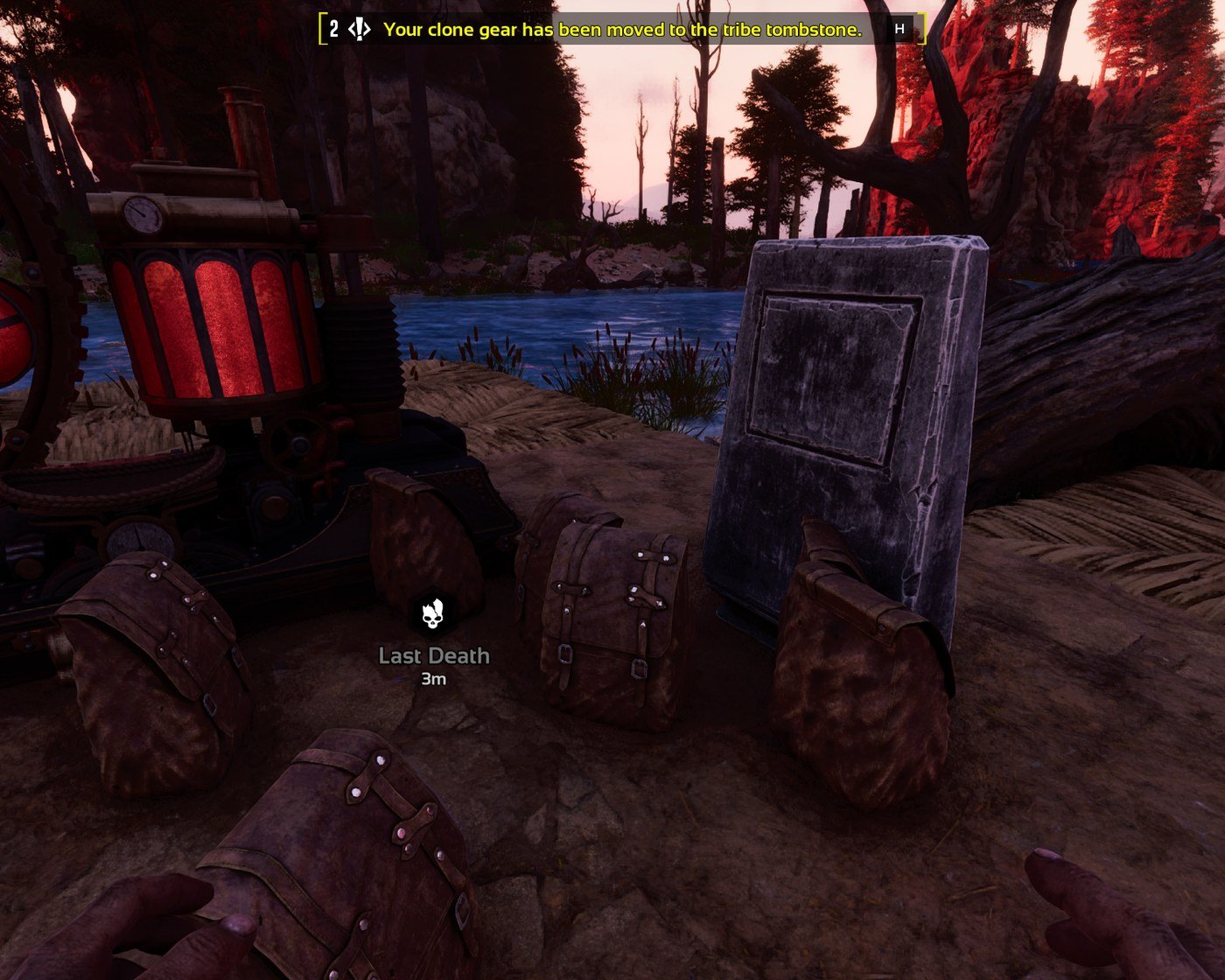
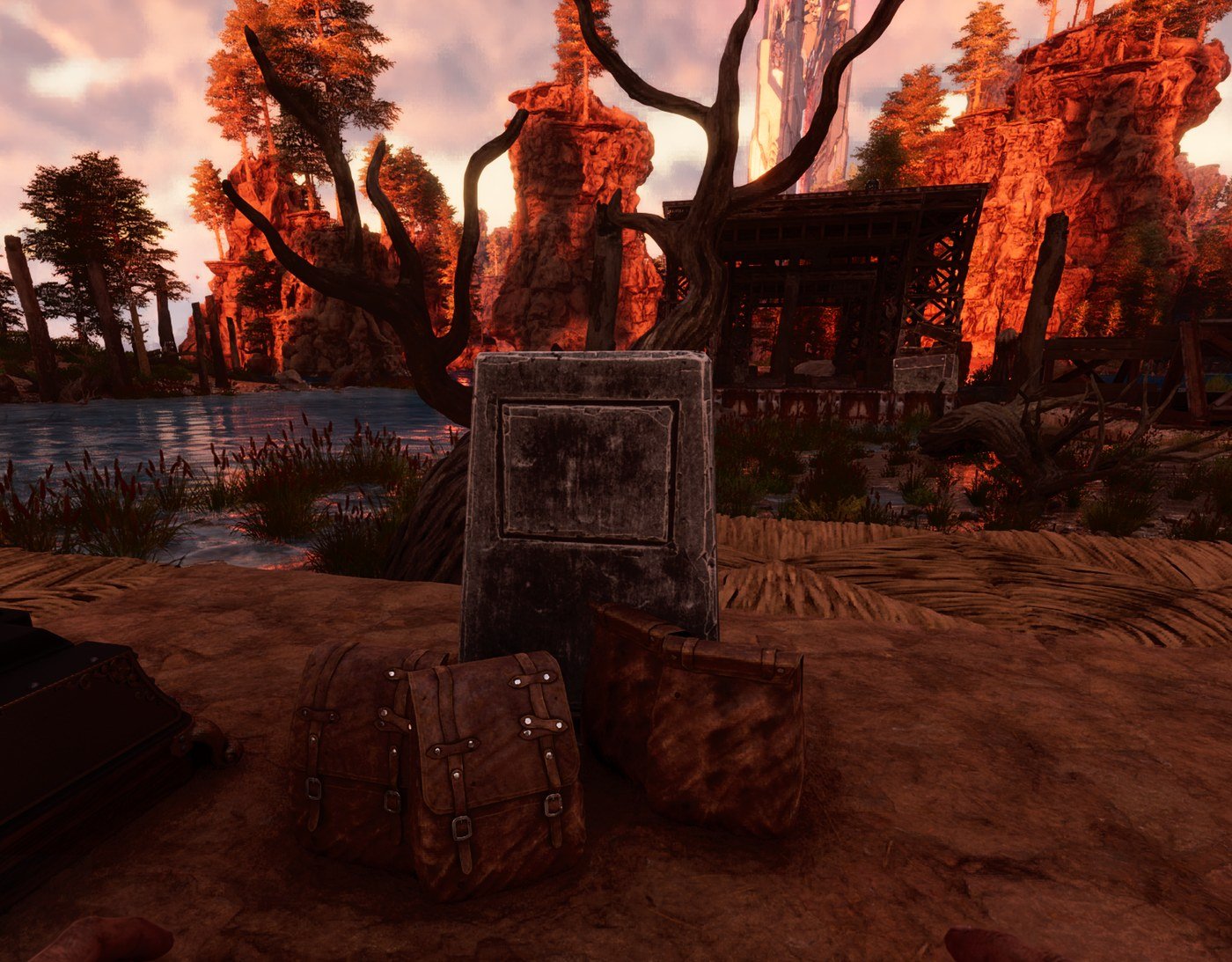
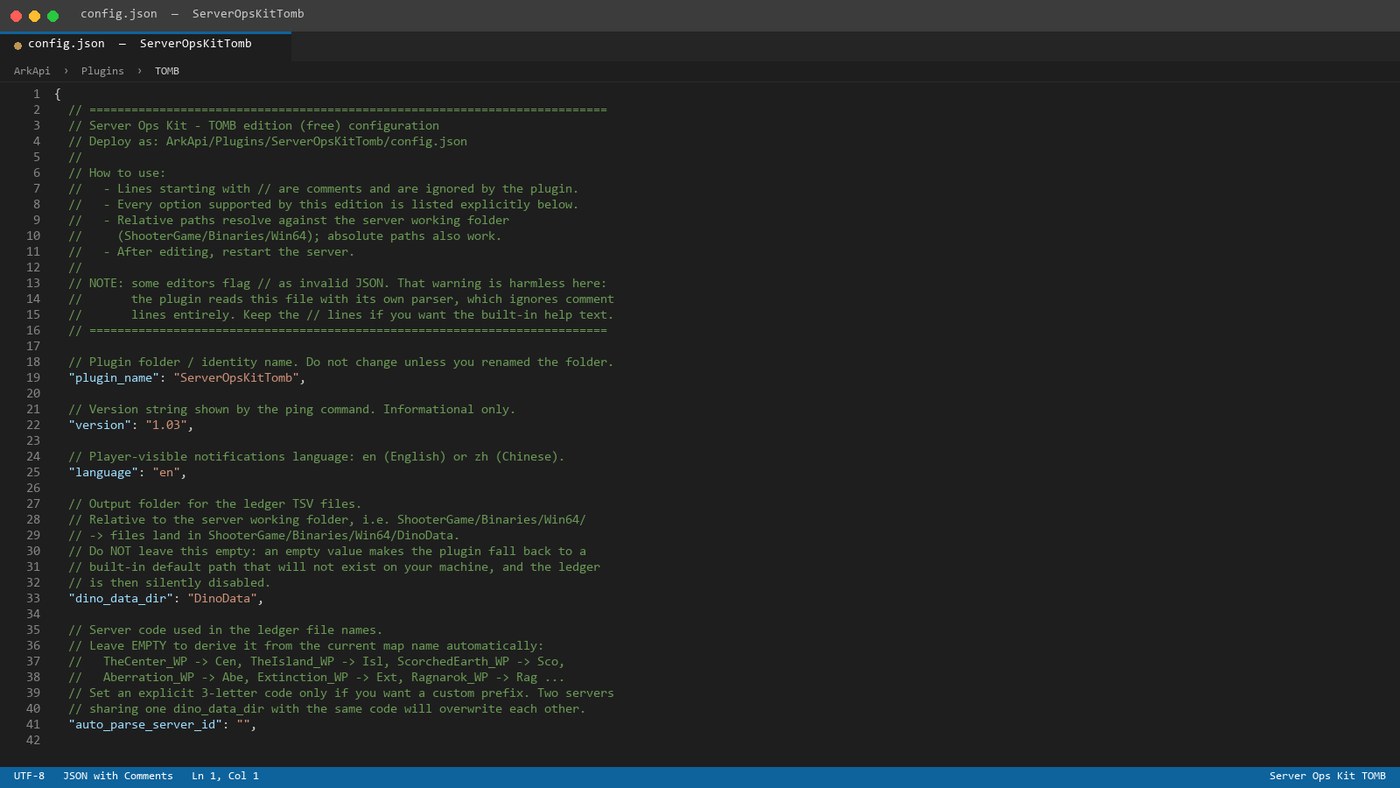
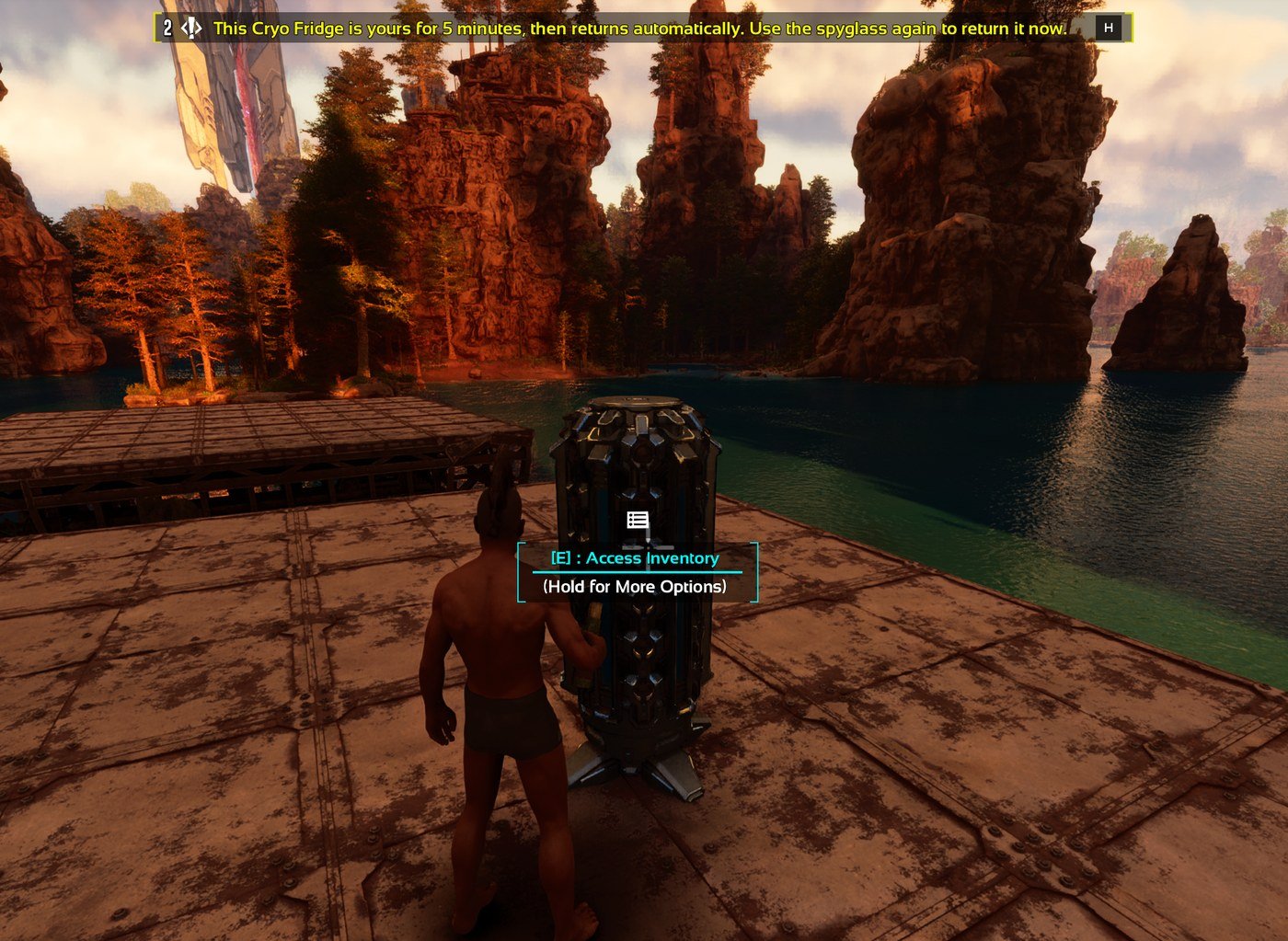
How the transfer band works. A bag is moved only while its remaining lifetime sits inside a band:
Which deaths are covered. Any death that produced a death record for a tribe: players, tamed creatures and tribe-owned bodies. Wild creatures are ignored (team 0, no character id). A bag with no matching death record is left alone, because there is no tribe to attribute it to.
What is never moved. Wild creature corpses; bags without a death record; bags already within a few metres of their own tombstone; and anything belonging to a tribe with no gravestone - in that case the plugin refreshes the bag's timer instead of moving it, so the loot does not silently vanish.
Enable it.
Notes. This feature changes player-owned data, so it is the one to switch off first if you want the tool to be read-only. The gravestone must belong to the same tribe as the deceased.
Enable and tune.
Ledger. Rows are appended to
The practical effect:
Enable. Parsing is off by default and does nothing until you fill in the paths.
Sidecar.
Notes. All three paths must be absolute; a bare file name is resolved against the server working folder and will not be found. The reader needs local read access to the save folder, so it cannot work on a host that hides the save directory.
Encoding.
Identity and output
Core and diagnostics.
Players and world.
Dinosaurs.
World probes.
Naming.
Broadcast.
Death bags and tombs.
Facility leasing.
Save parsing and reports.
Test helpers.
Aliases.
Full signatures and reply shapes are in the bundled
A. Move one tribe's expiring loot by hand.
TransferIdentityFix.ProbeDeathBagIds 1234567890
TransferIdentityFix.MoveDeathBag 1234567890
TransferIdentityFix.Status
The first command lists the bags with owner and coordinates, the second moves them, the third confirms the counters moved.
B. Turn on automatic transfer and tighten the window.
1. In
2. Run
3. Run
4. Kill a test creature, wait, and watch the plugin log for one line per moved source.
C. Check a rental dispute.
TransferIdentityFix.BorrowList
Then read
D. Prepare offline reports for all maps.
For each map, in that map's
1. Set
2. Point
3. Point
4. Set
5.
6. Read
E. Answer "when did the volcano last erupt".
TransferIdentityFix.Volcano
Empty or stale result: run
F. Rename a creature you can only identify by name.
TransferIdentityFix.DinoIds Rex
TransferIdentityFix.RenameDino <id1> <id2> "Biter"
TransferIdentityFix.ArkGetDino <id1> <id2>
G. Read the save while the server is stopped.
Run
Every key present in a free edition also exists in the paid edition; the paid edition adds 19 keys on top.
Rules you must respect.
1. Install AsaApi 2.1+ for ASA.
2. Copy the
3. Start the server once. On first boot the plugin writes a default
4. Edit
5. Optional: for offline parsing, copy
Everything else - all 49 keys, all commands, troubleshooting - is in the bundled
Files it reads. Its own
Files it writes. Its plugin folder, plus
Licensing. No license check, no phone-home, no expiry. The archive is a plain folder you copy in.
Limitations.
No client mod. Nothing for players to install. No game files are modified.
This page documents every feature, every configuration key and every command, with worked examples at the end.
Contents
- Part 1 - Feature reference (12 modules, each with its switches, commands and behaviour)
- Part 2 - Configuration reference (all 49 keys)
- Part 3 - Command reference (every registered command, grouped)
- Part 4 - Worked examples (copy-paste recipes)
- Part 5 - Editions and the upgrade path
- Part 6 - Compatibility and installation
- Part 7 - Data, network and limitations
- Part 8 - Support
See it in action
Two short recordings cover the two capabilities this edition shares with the free editions - the same in-game behaviour, recorded on a live cluster:- Death bags and tombstones (TOMB edition):
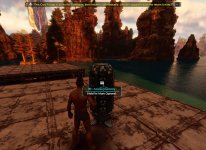
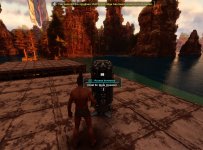
- Facility leasing and auto-return (LEASE edition):
Part 1 - Feature reference
1.1 Death bag and tomb automation
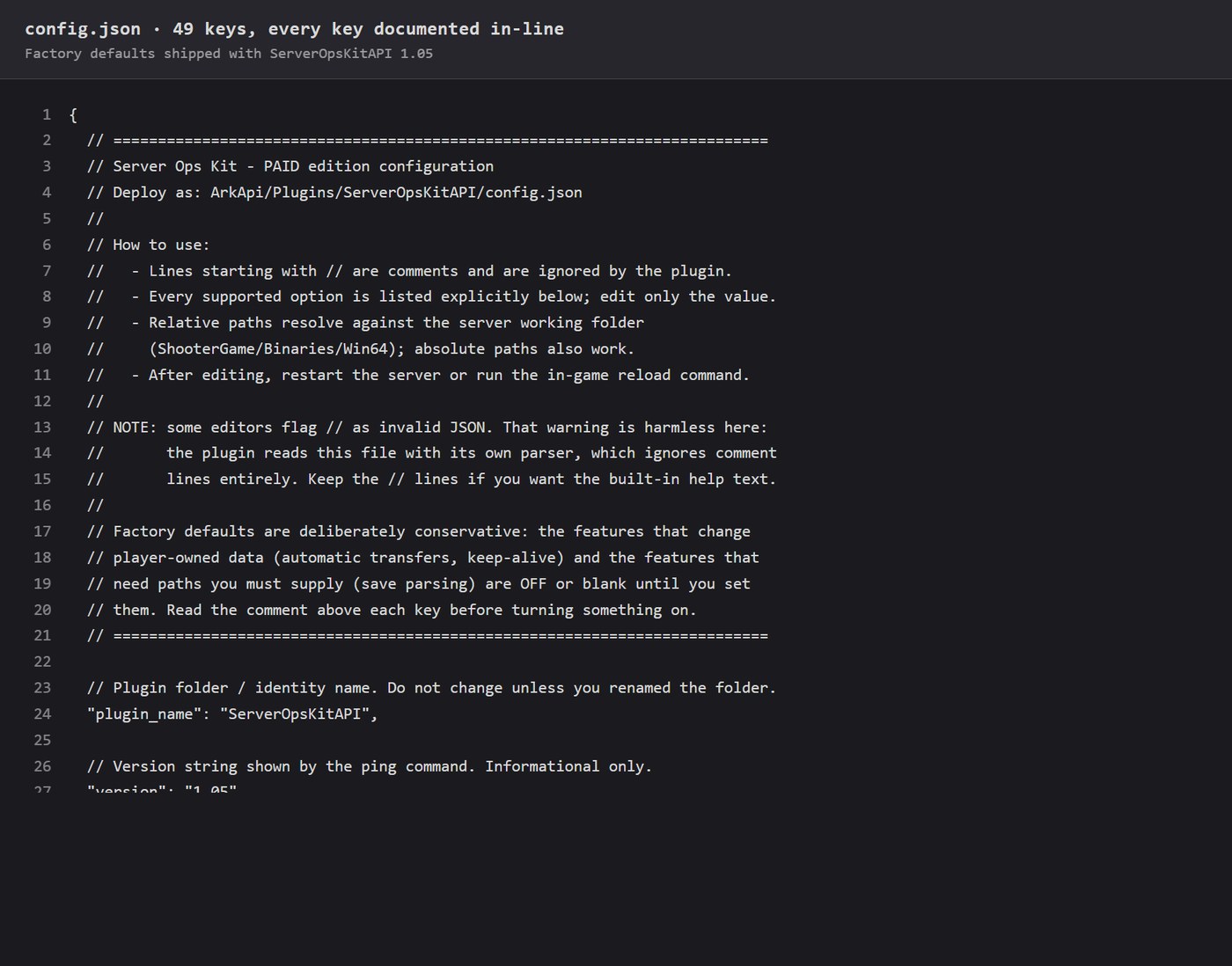
What it does. Every tribe death is recorded as a death record: owner, tribe, position and time. While the world scans, the plugin watches corpses and death bags whose remaining lifetime is running out and moves them, intact, onto the owning tribe's gravestone. The bag is deposited in front of the stone, with blocking structures avoided. Bags that already sit next to the gravestone are left where they are.How the transfer band works. A bag is moved only while its remaining lifetime sits inside a band:
- upper bound
auto_transfer_window_seconds(default 500): the bag is eligible once it has this much life or less. A 30-minute corpse therefore moves roughly 22 minutes after the death, leaving about 8 minutes of life on the bag. - lower bound
auto_transfer_min_remaining_seconds(default 300): bags with less life than this are skipped, because a bag a player dropped on purpose hovers around the 5-minute mark and must not be dragged to a gravestone.
Which deaths are covered. Any death that produced a death record for a tribe: players, tamed creatures and tribe-owned bodies. Wild creatures are ignored (team 0, no character id). A bag with no matching death record is left alone, because there is no tribe to attribute it to.
What is never moved. Wild creature corpses; bags without a death record; bags already within a few metres of their own tombstone; and anything belonging to a tribe with no gravestone - in that case the plugin refreshes the bag's timer instead of moving it, so the loot does not silently vanish.
Enable it.
auto_transfer_enabled(defaulttrue) - master switch. Setfalseif you prefer to move bags by hand with theMoveDeathBagcommand.auto_transfer_interval_seconds(default 10) - how often the world is scanned.
auto_transfer_window_seconds(500) - raise it, for example to 1750, to move bags almost immediately after the death.auto_transfer_min_remaining_seconds(300) - lower it only if you also want player-dropped bags collected.auto_transfer_move_batch_limit(20) - maximum sources handled by a single manualMoveDeathBagcall.death_record_ttl_seconds(2100) - how long a death record stays valid (35 minutes).death_bag_match_distance(5) - metres of tolerance when matching a bag to its death record.tomb_notify_enabled(true) andtomb_notify_min_interval_seconds(30) - in-game notifications when the system acts, and the per-tribe cooldown between two messages.
TransferIdentityFix.ProbeDeathBagIds <tribeId>- list that tribe's death bags with owner id and coordinates. Read-only; use it before a manual move.TransferIdentityFix.MoveDeathBag <tribeId>- move that tribe's expiring corpses and bags to its gravestone right now.TransferIdentityFix.MoveAllPendings- deliver every pending cryopod payload (see 1.2).TransferIdentityFix.ProbeBagItem- inspect what a death bag contains.TransferIdentityFix.DropBagHere- drop a bag at the caller position; diagnostic only.
TransferIdentityFix.Status after a death and check the transfer counters, or watch the plugin log for one line per moved source. Every action is logged.Notes. This feature changes player-owned data, so it is the one to switch off first if you want the tool to be read-only. The gravestone must belong to the same tribe as the deceased.
1.2 Cryopod pending delivery
When a death would have destroyed a cryopod payload, the plugin holds the payload as a pending and delivers it to an online member of the owning tribe instead of losing it.auto_transfer_give_pending_enabled(defaulttrue) - master switch.auto_transfer_give_pending_interval_seconds(1800) - how often the delivery scan runs.
TransferIdentityFix.ProbePodStatus (pending pods per tribe), TransferIdentityFix.MoveAllPendings (deliver everything now), TransferIdentityFix.ProbeCryoFlow (trace one delivery end to end), TransferIdentityFix.ProbeCryoData (inspect a pod's payload). Test helpers: TransferIdentityFix.TestCryo and TransferIdentityFix.CreateCryoTest.1.3 Facility leasing
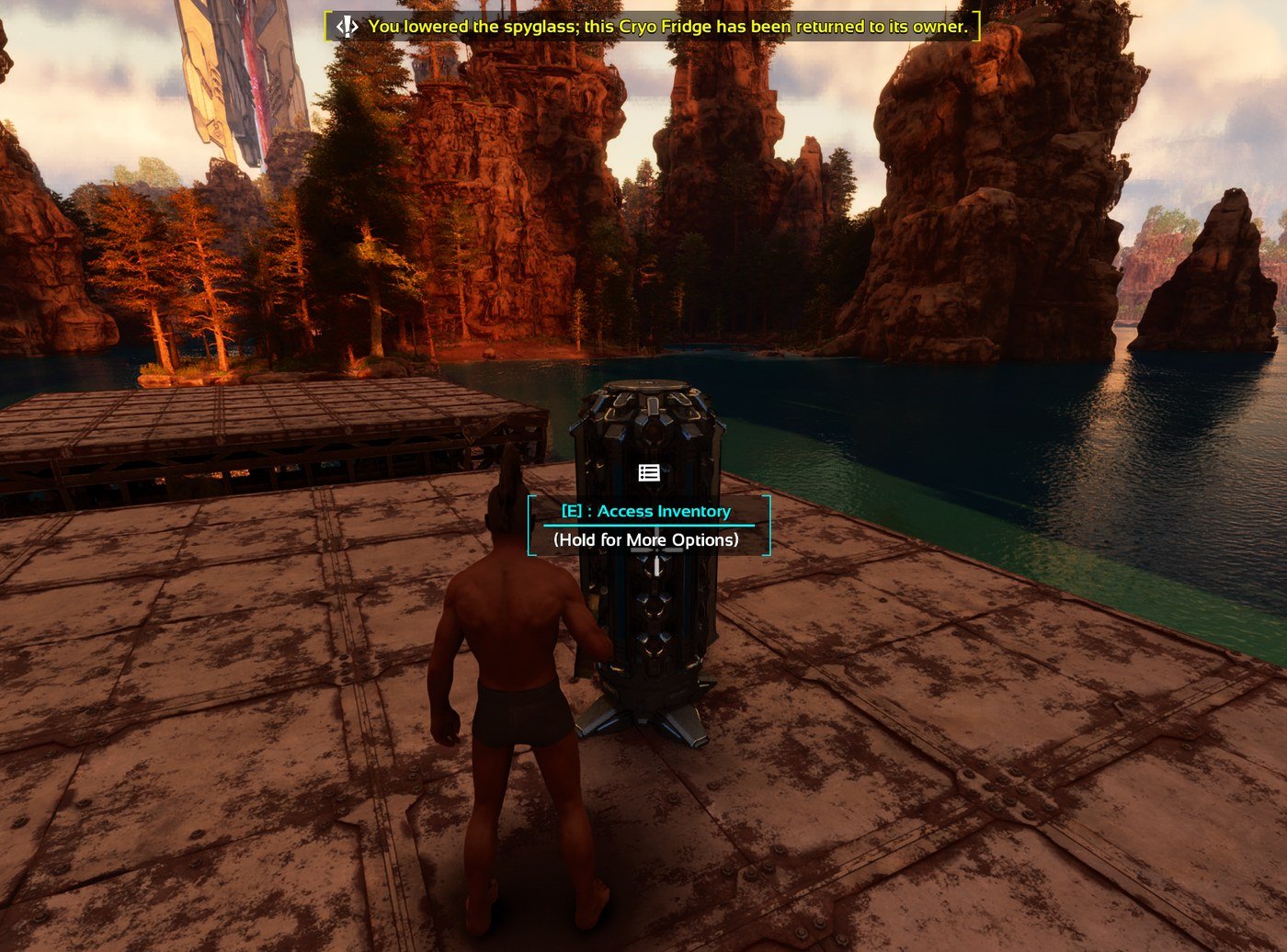
Allied tribes can lend structures to each other for a limited window. Ownership returns automatically when the window expires, a cooldown guards against rapid re-lending, and every attempt can be written to a ledger.Enable and tune.
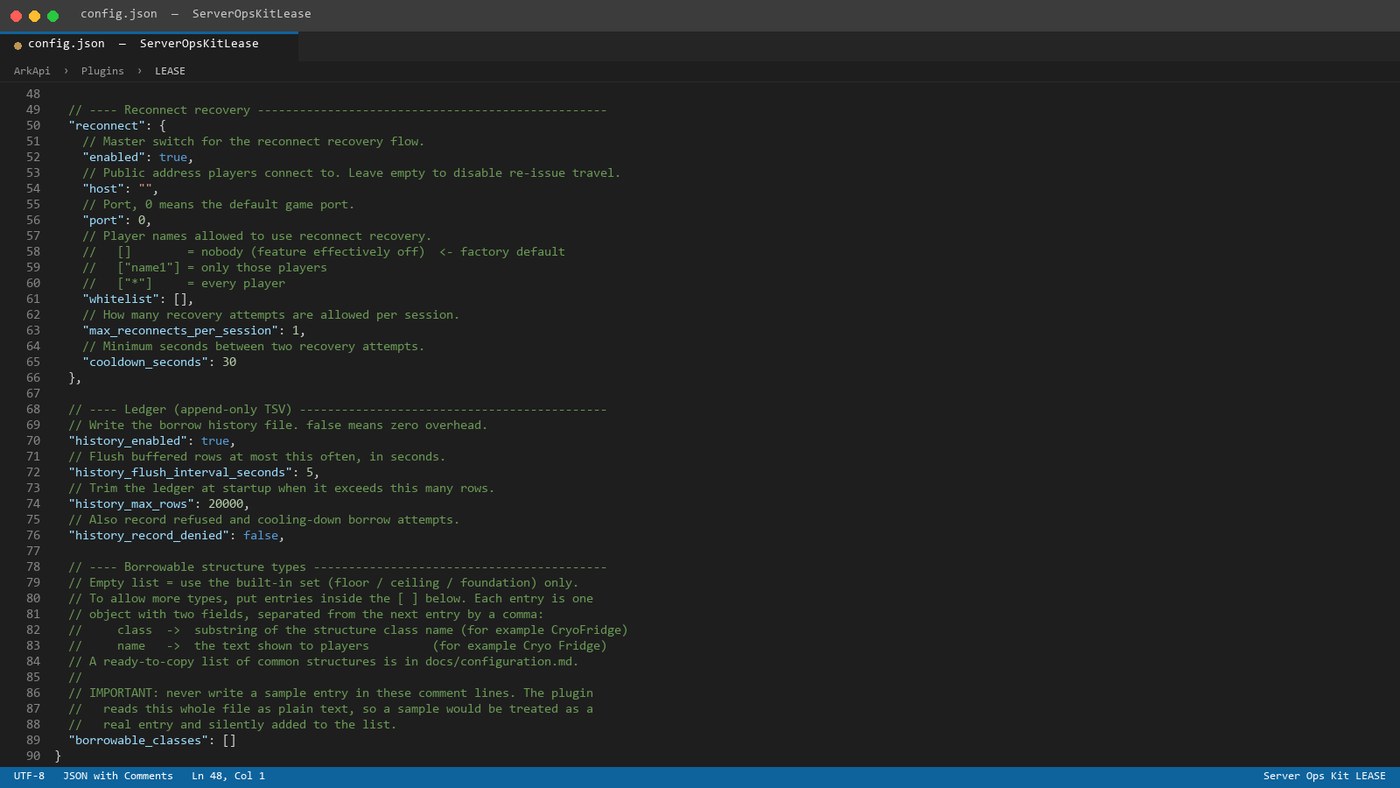
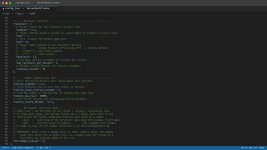
borrowable_classes(default[]) - empty means the built-in set only (floor, ceiling, foundation). To allow more, add entries of the form{"class": "<substring of the structure class>", "name": "<text shown to players>"}, for example{"class": "CryoFridge", "name": "Cryo Fridge"}. A ready-to-copy list of common structures is indocs/configuration.md.history_enabled(true) - write the borrow ledger. Setfalsefor zero file overhead.history_record_denied(false) - also record refused or cooling-down attempts, useful when players dispute a rental.
TransferIdentityFix.BorrowList lists everything currently borrowed, with owner and borrower. TransferIdentityFix.BorrowRestore returns all borrowed structures immediately.Ledger. Rows are appended to
<dino_data_dir>/<serverId>_borrow_history.tsv, flushed at most every history_flush_interval_seconds (5) and trimmed to history_max_rows (20000) at startup. The tomb ledger uses the same mechanism and the same keys.1.4 Cross-map identity chain
On a cluster the same human can exist on several maps with different records: a body left behind, a tribe entry, a transfer in flight. The identity chain reconciles EOS ids and player identity across the maps of the cluster, so a death, a transfer or a tribe record that happens during a cluster hop is attributed back to the right player and the right tribe.The practical effect:
- one player, one record - no duplicate "ghost" entries after a hop;
- a death during a transfer is still recorded against the correct tribe, so its bag is still handled by 1.1;
- tribe data stays attached to the tribe, not to a stale character.
TransferIdentityFix.SelfCheck reports the current chain state, and TransferIdentityFix.Status reports the counters.1.5 Offline save parsing
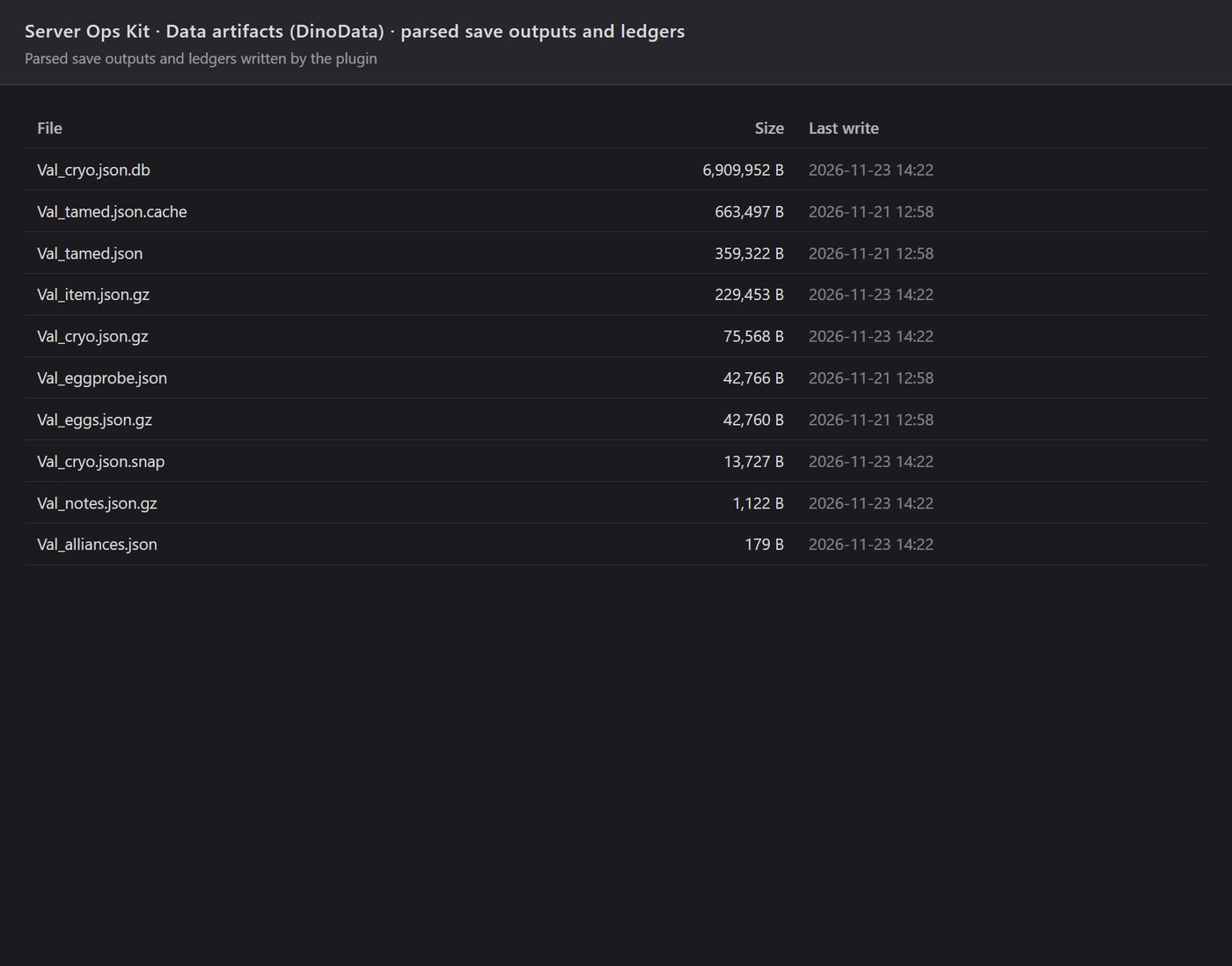
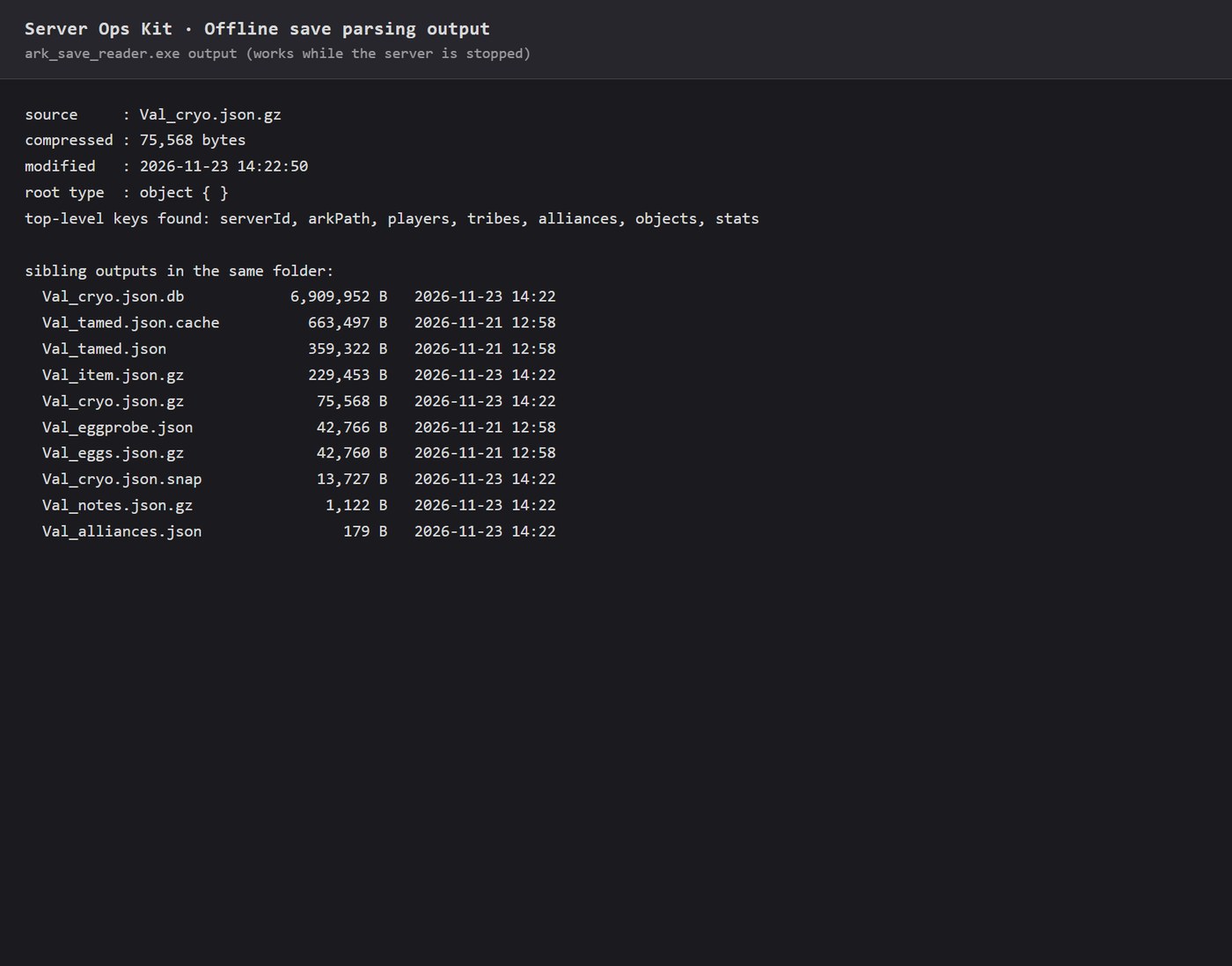
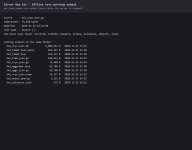
The paid edition bundlesark_save_reader.exe, a standalone reader that parses an ASA .ark save directly - with the server stopped, no API, no game process. Output covers cryopods, tamed creatures, items, eggs, notes, players, tribes and alliances.Enable. Parsing is off by default and does nothing until you fill in the paths.
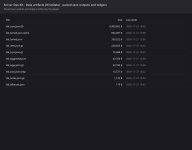
auto_parse_enabled(false) - master switch.auto_parse_reader_exe- absolute path toark_save_reader.exe. The exe ships with this edition; put it anywhere and point here.auto_parse_ark_path- absolute path to this server's.arkfile. Parsing stays idle while this is empty.auto_parse_out_json- absolute path for the merged JSON. Leave empty and the plugin writesArkApi/Plugins/ServerOpsKitAPI/out/<serverId>_cryo.json.auto_parse_server_id- server code used in file names. Leave empty and it is derived from the map:TheCenter_WPbecomesCen,TheIsland_WPbecomesIsl,ScorchedEarth_WPbecomesSco,Aberration_WPbecomesAbe,Extinction_WPbecomesExt,Ragnarok_WPbecomesRag, and so on. Two servers sharing onedino_data_dirwith the same code will overwrite each other, so set it explicitly if you merge folders.auto_parse_settle_ms(3000) - wait after the save before launching the reader.auto_parse_retry_max(2) - retries when the reader output looks incomplete.
TransferIdentityFix.ArkTamedDinos (tamed report from the parsed save), TransferIdentityFix.ArkStatus (write a status snapshot including the parsed paths), TransferIdentityFix.CraftingCost.Sidecar.
sidecar_enabled (true) writes tamed creature max stats and gender into the merged JSON after each save, which is what makes stat and mutation queries cheap later.Notes. All three paths must be absolute; a bare file name is resolved against the server working folder and will not be found. The reader needs local read access to the save folder, so it cannot work on a host that hides the save directory.
1.6 Volcano eruption ledger
The plugin watches for the eruption hazard actor and records every eruption - start, end and duration - so you can answer "when did it last blow, and for how long" without being online.volcano_actor_filter(Volcanic_Eruption_Hazard) - class substring of the hazard actor. Change it only for a modded map that renames the actor.volcano_record_seconds(1) - background poll interval.0disables the recorder entirely.volcano_rescan_seconds(120) - minimum gap between two full world rescans.volcano_cache_seconds(1) - response cache window, 0 to 60.
TransferIdentityFix.Volcano returns the eruption ledger for the current map. TransferIdentityFix.HazardProbe probes hazard triggers and is the tool to reach for when the ledger looks empty; TransferIdentityFix.ProbeTimeFields explains which in-game time field is being used.1.7 Weather tracker
Weather is sampled in the background and persisted, so a restart does not wipe the history.weather_autoscan_seconds(5) - sampling interval.0disables sampling.weather_history_persist(true) - persist towx_history.tsvinsidedino_data_dir.
1.8 Area and world probes
Read-only queries that answer "what is here right now" without a client.TransferIdentityFix.WorldProbe- on-demand world / area probe.TransferIdentityFix.HazardProbe- hazard trigger probe.TransferIdentityFix.ProbeActors <filter>- actor listing by class filter.TransferIdentityFix.ProbeCaches- internal cache state, useful when a probe returns stale data.TransferIdentityFix.TribeProbe <tribeId>andTransferIdentityFix.AllianceProbe <tribeId>- tribe details and the alliance graph around a tribe.TransferIdentityFix.InvProbe <player>- player inventory.TransferIdentityFix.EggProbe- egg and embryo probe.TransferIdentityFix.ProbeGene,TransferIdentityFix.ProbeSoul- gene, colour and essence probes.TransferIdentityFix.KeepAliveRegion,TransferIdentityFix.RegionDiag- region keep-alive status and diagnostics.
probe_cache_seconds(1, 0 to 60) - response cache for read-only probes. Raise it on a busy server, set it to 0 while debugging.probe_rescan_seconds(30, 15 to 600) - minimum gap between two world rescans. This is the key that protects your tick rate: probes reuse the last scan instead of forcing a new one.
auto_keep_alive_enabled (false) keeps online tribes' babies out of stasis so breeding continues while the player is away; auto_keep_alive_interval_seconds (10) controls the scan, and auto_keep_alive_extra_classes ([]) lists extra class keywords to keep alive as well. Off by default because it costs CPU and changes world behaviour.1.9 Dinosaur administration
TransferIdentityFix.ArkGetDino <id1> <id2>- full live record for one creature.TransferIdentityFix.DinoIds <filter>- resolve creature ids by filter; run this first when you only know a name.TransferIdentityFix.RenameDino <id1> <id2> <name>- rename a tamed creature.TransferIdentityFix.DinoMut <id1> <id2>- mutation and stat query.TransferIdentityFix.DinoMutPing- mutation subsystem liveness check.TransferIdentityFix.TrackDino <id1> <id2>,TransferIdentityFix.StopTrackDino,TransferIdentityFix.TrackLocation- follow a creature and report its position on demand.TransferIdentityFix.WildDinos- wild creature summary.TransferIdentityFix.ArkTamedDinos- tamed report built from the parsed save (works while the server is off).
1.10 Naming tools
Act on the structure the admin is currently looking at:TransferIdentityFix.RenameContainer <name>, TransferIdentityFix.SetSignText <text>, TransferIdentityFix.SetBedName <name>. All three are safe to call repeatedly.1.11 Broadcast and messaging
TransferIdentityFix.Broadcast <banner|notify|chat> <text>- server-wide message in the chosen style.TransferIdentityFix.BroadcastPlayer <eosid> <banner|notify> <text>- message to one player.broadcast <text>- legacy alias, treated as a banner.
language (en or zh). Server logs are always English.1.12 Diagnostics, hot reload and safety
TransferIdentityFix.Ping- liveness check, returns the version.TransferIdentityFix.Status- runtime counters and a configuration summary.TransferIdentityFix.SelfCheck- edition, version, hook status, world state.TransferIdentityFix.HookStatus- per-hook ok/fail table with the last summary line.TransferIdentityFix.RconDiag- diagnose inbound RCON encoding problems.TransferIdentityFix.DebugChat <on|off>- mirror plugin messages into in-game chat (debug.chat_enabledsets the default).TransferIdentityFix.Trace- toggle verbose tracing.TransferIdentityFix.ReloadConfig- re-readconfig.jsonwithout restarting the server.TransferIdentityFix.Reload- full plugin hot reload, hooks re-registered.
ReloadConfig re-reads every key in config.json and applies it live, except language, which is bound at load time and needs a server restart. Reload additionally unregisters and re-registers the hooks - use it after a plugin update, not for configuration changes.Encoding.
rcon_inbound_utf8_fix (false) repairs mangled non-ASCII RCON arguments. Leave it off until RconDiag confirms the mangling on your setup.Part 2 - Configuration reference (49 keys)
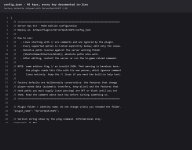
All keys, with factory defaults. The shippedconfig.json documents each one on the line above it.Identity and output
plugin_name=ServerOpsKitAPI- plugin folder / identity name. Do not change unless you renamed the folder.version=1.05- reported by the ping command. Informational.language=en- player-facing notification language,enorzh. Requires a restart.dino_data_dir=DinoData- output folder for ledgers, weather history and parser results, relative toShooterGame/Binaries/Win64. An absolute path also works.
weather_history_persist=true- persist the weather tracker towx_history.tsv.weather_autoscan_seconds=5- sampling interval,0disables.sidecar_enabled=true- dump tamed max stats and gender into the merged JSON after each save.
rcon_inbound_utf8_fix=false- repair mangled non-ASCII RCON arguments.debug.chat_enabled=true- echo command results into in-game chat.
reconnect.enabled=true- master switch.reconnect.host=""- public address players connect to; empty disables re-issue travel.reconnect.port=0-0means the default game port.reconnect.whitelist=[]-[]nobody,["name1"]those players only,["*"]everyone.reconnect.max_reconnects_per_session=1- attempts allowed per session.reconnect.cooldown_seconds=30- minimum gap between attempts.
auto_parse_enabled=falseauto_parse_reader_exe=""- absolute path toark_save_reader.exe.auto_parse_ark_path=""- absolute path to this server's.ark.auto_parse_out_json=""- empty writesout/<serverId>_cryo.json.auto_parse_server_id=""- empty derives the code from the map name.auto_parse_settle_ms=3000auto_parse_retry_max=2
auto_transfer_enabled=trueauto_transfer_window_seconds=500- upper bound of the transfer band.auto_transfer_interval_seconds=10- world scan interval.auto_transfer_min_remaining_seconds=300- lower bound of the transfer band.auto_transfer_move_batch_limit=20- sources per manual move.auto_transfer_give_pending_enabled=trueauto_transfer_give_pending_interval_seconds=1800death_record_ttl_seconds=2100death_bag_match_distance=5tomb_notify_enabled=truetomb_notify_min_interval_seconds=30
auto_keep_alive_enabled=falseauto_keep_alive_interval_seconds=10auto_keep_alive_extra_classes=[]
volcano_actor_filter=Volcanic_Eruption_Hazardvolcano_rescan_seconds=120volcano_cache_seconds=1volcano_record_seconds=1-0disables the recorder.
probe_cache_seconds=1(0 to 60)probe_rescan_seconds=30(15 to 600)
history_enabled=truehistory_flush_interval_seconds=5history_max_rows=20000history_record_denied=false
borrowable_classes=[]- empty means the built-in set only.
Part 3 - Command reference
All commands are callable from the server console or any RCON client. Data commands reply with JSON on the RCON connection; action commands reply with a short text line. Every call writes one log line with the caller and the result.Core and diagnostics.
Ping, Status, SelfCheck, HookStatus, RconDiag, DebugChat, Trace, ReloadConfig, Reload.Players and world.
GetOnlineNum, ListOnlinePlayers, ListOnlineTribes, CurrentMap, WorldTime, GetInGameTime, PlayerPos.Dinosaurs.
ArkGetDino, ArkTamedDinos, WildDinos, DinoIds, RenameDino, DinoMut, DinoMutPing, TrackDino, StopTrackDino, TrackLocation.World probes.
WorldProbe, HazardProbe, Volcano, TribeProbe, AllianceProbe, EggProbe, InvProbe, ProbeTimeFields, ProbeActors, ProbeCaches, ProbeGene, ProbeSoul, ProbeBagItem.Naming.
RenameContainer, SetSignText, SetBedName.Broadcast.
Broadcast, BroadcastPlayer.Death bags and tombs.
MoveDeathBag, ProbeDeathBagIds, MoveAllPendings, DropBagHere, TestSpawnTomb, ProbeCryoFlow, ProbeCryoData, ProbePodStatus.Facility leasing.
BorrowList, BorrowRestore.Save parsing and reports.
ArkStatus, CraftingCost, KeepAliveRegion, RegionDiag.Test helpers.
TestCryo, CreateCryoTest.Aliases.
tif, /tif, GetInGameTime, GetOnlineNum, ListOnlinePlayers, ListOnlineTribes, broadcast, Broadcast, BroadcastPlayer.Full signatures and reply shapes are in the bundled
docs/commands.md.Part 4 - Worked examples
A. Move one tribe's expiring loot by hand.
TransferIdentityFix.ProbeDeathBagIds 1234567890
TransferIdentityFix.MoveDeathBag 1234567890
TransferIdentityFix.Status
The first command lists the bags with owner and coordinates, the second moves them, the third confirms the counters moved.
B. Turn on automatic transfer and tighten the window.
1. In
config.json set auto_transfer_enabled to true, auto_transfer_window_seconds to 1750 (move almost immediately) and keep auto_transfer_min_remaining_seconds at 300.2. Run
TransferIdentityFix.ReloadConfig.3. Run
TransferIdentityFix.Status and check that the effective window is the value you set.4. Kill a test creature, wait, and watch the plugin log for one line per moved source.
C. Check a rental dispute.
TransferIdentityFix.BorrowList
Then read
<dino_data_dir>/<serverId>_borrow_history.tsv for timestamps. Set history_record_denied to true if you also need refused attempts recorded.D. Prepare offline reports for all maps.
For each map, in that map's
config.json:1. Set
auto_parse_enabled to true.2. Point
auto_parse_reader_exe at the bundled exe (absolute path).3. Point
auto_parse_ark_path at that map's .ark file (absolute path).4. Set
auto_parse_server_id to a unique three-letter code so the maps do not overwrite each other in a shared dino_data_dir.5.
ReloadConfig, then let the server save once.6. Read
TransferIdentityFix.ArkTamedDinos for the parsed report, and the JSON files in dino_data_dir for your own tooling.E. Answer "when did the volcano last erupt".
TransferIdentityFix.Volcano
Empty or stale result: run
TransferIdentityFix.HazardProbe, confirm volcano_record_seconds is not 0, and check TransferIdentityFix.ProbeTimeFields.F. Rename a creature you can only identify by name.
TransferIdentityFix.DinoIds Rex
TransferIdentityFix.RenameDino <id1> <id2> "Biter"
TransferIdentityFix.ArkGetDino <id1> <id2>
G. Read the save while the server is stopped.
Run
ark_save_reader.exe <path-to-.ark> <out.json> <serverId> from a command prompt on the host. Nothing needs to be running: this is the same binary the plugin calls, and it is the only way to get inventory and cryopod detail out of a map that will not boot.Part 5 - Editions and the upgrade path
Server Ops Kit is also published as two free editions, TOMB (death bags and tombstones) and LEASE (facility leasing). The paid edition contains everything both of them do, plus the cluster-level tooling above.| Capability | Paid | TOMB | LEASE |
|---|---|---|---|
| Death bag and tomb transfer | yes | yes | - |
| Facility leasing | yes | - | yes |
| Cross-map identity chain | yes | - | - |
| Offline save parsing | yes | - | - |
| World probes (volcano, weather, area) | yes | - | - |
| Admin utilities (rename, mutation, tracking, tribe and inventory probes) | yes | - | - |
| RCON commands | 70+ | 24 | 20 |
| Configuration keys | 49 | 29 | 19 |
Rules you must respect.
- The paid edition and either free edition cannot run on the same server. The plugins refuse to load together, because two copies would record every death twice.
- The two free editions can run side by side.
- Upgrading means deleting the free plugin folder before installing this one.
Part 6 - Compatibility and installation
- ARK: Survival Ascended dedicated servers on Windows
- AsaApi 2.1 or newer (built and verified against the AsaApi 2.11 runtime)
- Server-side only: no client mod, no custom assets, no modified game files
- Must not be installed next to a free Server Ops Kit edition
1. Install AsaApi 2.1+ for ASA.
2. Copy the
ServerOpsKitAPI folder into ShooterGame/Binaries/Win64/ArkApi/Plugins/.3. Start the server once. On first boot the plugin writes a default
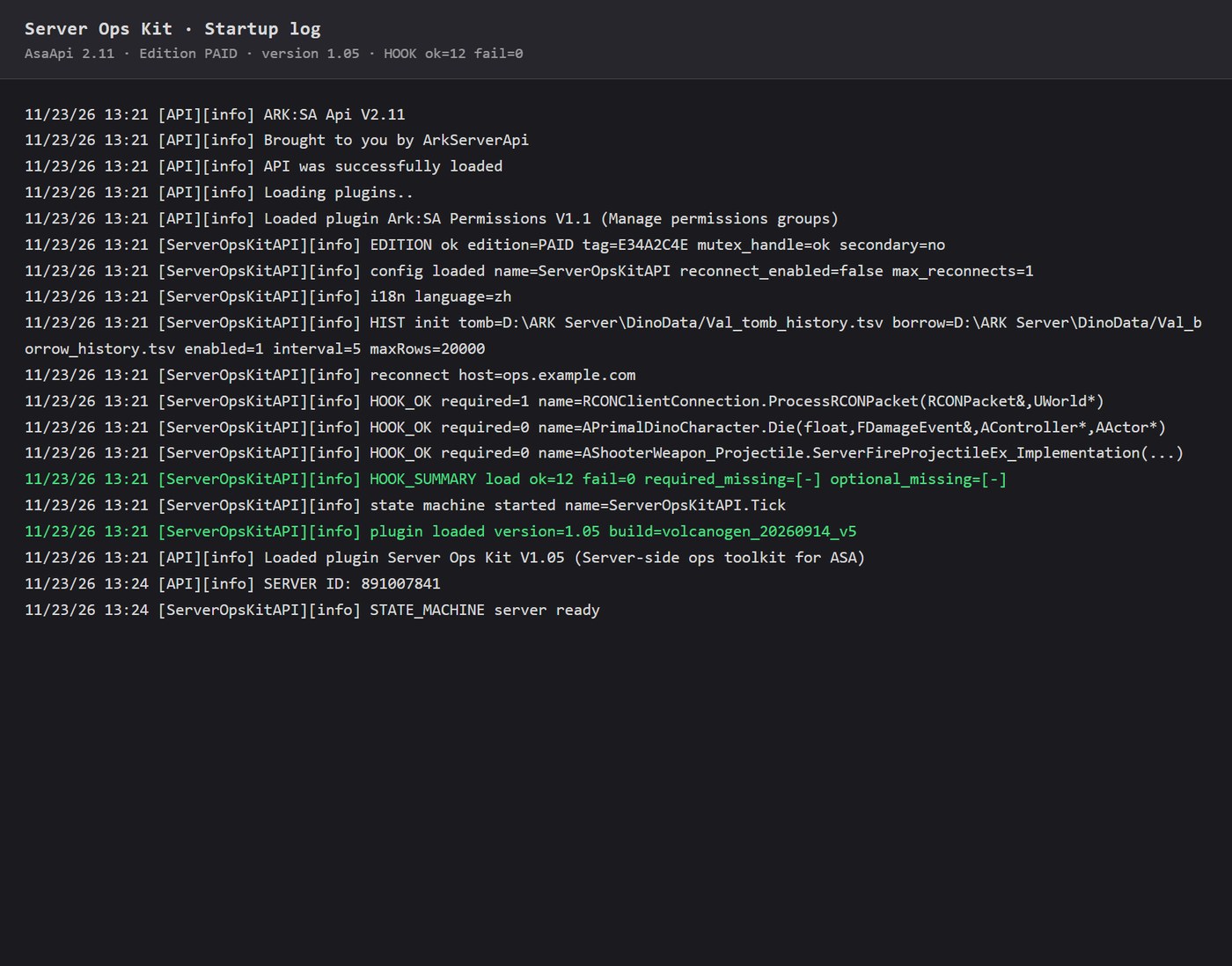
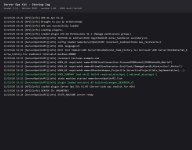
config.json and prints its edition, the loaded configuration and a hook summary - look for HOOK_SUMMARY load ok=12 fail=0 and plugin loaded version=1.05.4. Edit
config.json for language and the feature switches you want, then restart once.5. Optional: for offline parsing, copy
ark_save_reader.exe anywhere on the host and point auto_parse_reader_exe at it.Everything else - all 49 keys, all commands, troubleshooting - is in the bundled
docs/ folder inside the archive.Part 7 - Data, network and limitations
External connections. The plugin opens no outbound connection, sends no telemetry and performs no update check. It starts no external process other than the save reader you point it at.Files it reads. Its own
config.json, the game API it is loaded into, and the .ark files the reader is pointed at.Files it writes. Its plugin folder, plus
dino_data_dir: parsed save JSON, weather history, death-bag and borrow ledgers, probe state. Nothing outside those paths.Licensing. No license check, no phone-home, no expiry. The archive is a plain folder you copy in.
Limitations.
- Windows dedicated servers only.
- Requires AsaApi 2.1 or newer.
- Save parsing needs local read access to the save folder.
- Cluster features assume the maps share one data directory, or are configured to.
- Changing
languagerequires a server restart; every other key can be applied withReloadConfig. - Automatic tomb transfer needs a gravestone owned by the same tribe; without one the bag stays put and its timer is refreshed.
- This is an administration tool.
MoveDeathBag,MoveAllPendings,BorrowRestoreandDropBagHerechange world state - grant RCON access with care.
Part 8 - Support
Use the Discussion tab of this resource. Please include your AsaApi version, the plugin version (theplugin loaded version= log line, or the ping command) and the relevant [ServerOpsKitAPI] log lines.-
 PAID_1_gearmoved.jpg
-
 PAID_2_tomb.jpg
-
 PAID_3_config_free.jpg
-
 PAID_4_lease.jpg
-
 PAID_5_returned.jpg
-
 PAID_6_config_lease.jpg
-
 PAID_7_startup.jpg
-
 PAID_8_datafolder.jpg
-
 PAID_9_config_paid.jpg
-
 PAID_10_parseoutput.jpg

