

Server Ops Kit TOMB is a server-side plugin that gives an ASA server a reliable death recovery system: when a tribe member or a tamed creature dies, the kit records the death and moves the corpse and the death bag to that tribe's gravestone.
Demo video (1:27) - watch on YouTube
No client mod. Players install nothing.
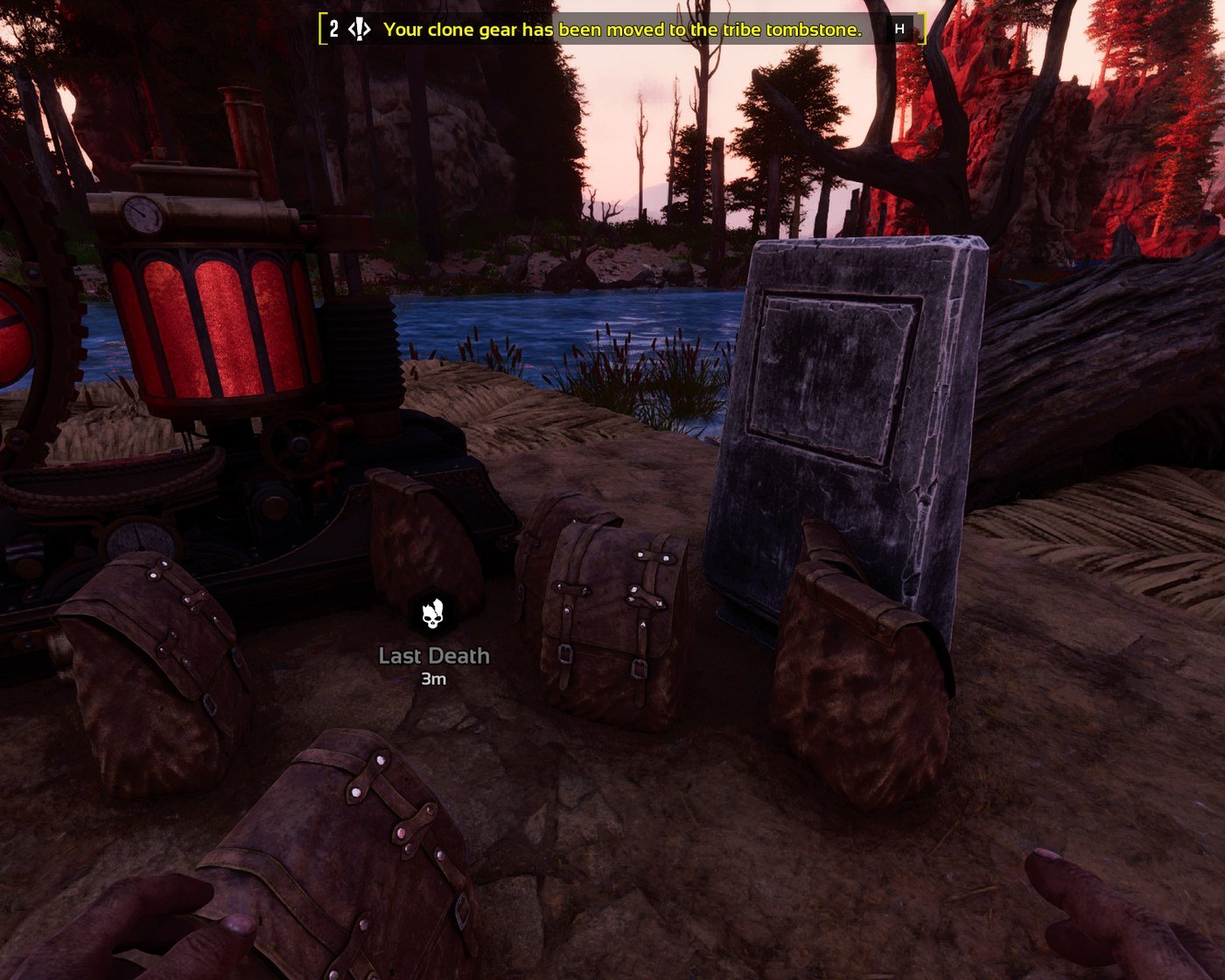
Automatic transfer Corpses and death bags whose lifetime is about to expire are moved to the owning tribe's gravestone, in batches, on a configurable scan (default every 10 seconds).
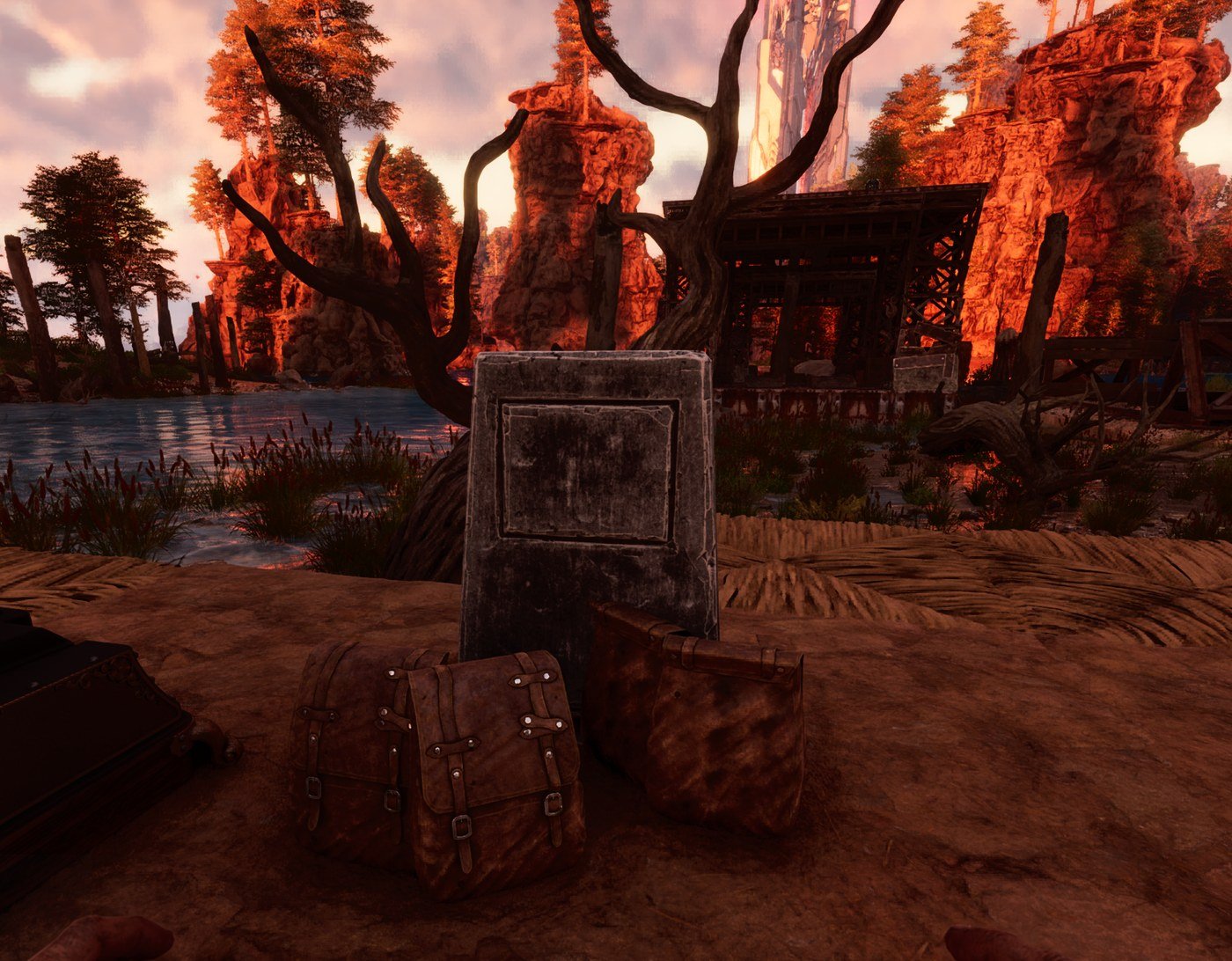
Gravestone-aware placement The destination is a free point in front of the gravestone. Structures that would block the drop are detected and avoided, so bags do not end up inside a wall or under a foundation.
No double handling Bags that already rest next to the gravestone are left alone. Running a transfer again never shuffles the same bag twice.
Manual trigger
In-game notifications Tribe members get a short message when the tomb system acts. Text follows the
Audit ledger An append-only TSV records every transfer with coordinates, owner and executor, so you can answer "where did that bag go".
Corpse - upper bound only. A corpse is moved as soon as its remaining existence time drops to
Death bag - a band with two bounds. A bag is moved only while its remaining lifetime sits inside
Demo video (1:27) - watch on YouTube
No client mod. Players install nothing.
What it does
Death recording Every tribe death is recorded with the owner, the position and the time. Nothing is guessed from names or chat.Automatic transfer Corpses and death bags whose lifetime is about to expire are moved to the owning tribe's gravestone, in batches, on a configurable scan (default every 10 seconds).
Gravestone-aware placement The destination is a free point in front of the gravestone. Structures that would block the drop are detected and avoided, so bags do not end up inside a wall or under a foundation.
No double handling Bags that already rest next to the gravestone are left alone. Running a transfer again never shuffles the same bag twice.
Manual trigger
MoveDeathBag performs the same transfer on demand for one tribe - useful right after an incident, or when you want to clean up without waiting for the timer.In-game notifications Tribe members get a short message when the tomb system acts. Text follows the
language key (English or Chinese).Audit ledger An append-only TSV records every transfer with coordinates, owner and executor, so you can answer "where did that bag go".
Which deaths are covered
The tomb system only acts on deaths that belong to a tribe. Deaths with no tribe are ignored.- Tribe member (player) - the corpse and the death bag are both moved. Deaths caused by a boss fight or a world kill are recognised from a recorded player death at that position, even when the bag carries no character id.
- Tamed creature of the tribe - the corpse is moved (its creature identity must be readable); its death bag is moved only when it matches a real death record of that creature.
- Wild creature - ignored. Neither its corpse nor its bag is touched, because neither belongs to a tribe.
- Bag with no death record - ignored. A bag produced by cryopod or pokeball handling has no death behind it, so it is never dragged to a gravestone.
- Bag already at the gravestone - ignored when it rests within 320 units of a gravestone of the same tribe, so repeated scans never shuffle the same bag.
When a corpse or a bag is moved
Both carriers are handled by the same scan (default every 10 seconds), but they use different timers.Corpse - upper bound only. A corpse is moved as soon as its remaining existence time drops to
auto_transfer_window_seconds (default 500 seconds). There is no lower bound: a corpse that is about to vanish is still picked up. The corpse is then removed and its contents appear as a new bag in front of the gravestone with a 14-day lifetime.Death bag - a band with two bounds. A bag is moved only while its remaining lifetime sits inside
auto_transfer_min_remaining_seconds .. auto_transfer_window_seconds (default 300 .. 500 seconds).- Above the band the bag is still fresh and is left alone until its timer runs down.
- Below the band the bag is already almost gone and is left alone on purpose, so it is never dragged across the map.
- With the defaults a 30-minute death bag is moved about 22 minutes after the death, with roughly 8 minutes of life left. Raise
auto_transfer_window_seconds(for example to 1750) to transfer almost immediately.
Compatibility
- ARK: Survival Ascended dedicated servers on Windows
- AsaApi 2.1 or newer (built and verified against the AsaApi 2.11 runtime)
- Server-side only: no client mod, no custom assets, no game file modification
- Can run next to the free LEASE edition on the same server
Installation (about 5 minutes)
- Install AsaApi 2.1+ for ASA.
- Copy the
ServerOpsKitTombfolder intoShooterGame/Binaries/Win64/ArkApi/Plugins/. - Start the server once - config is generated on first boot and the plugin logs its version.
- Edit
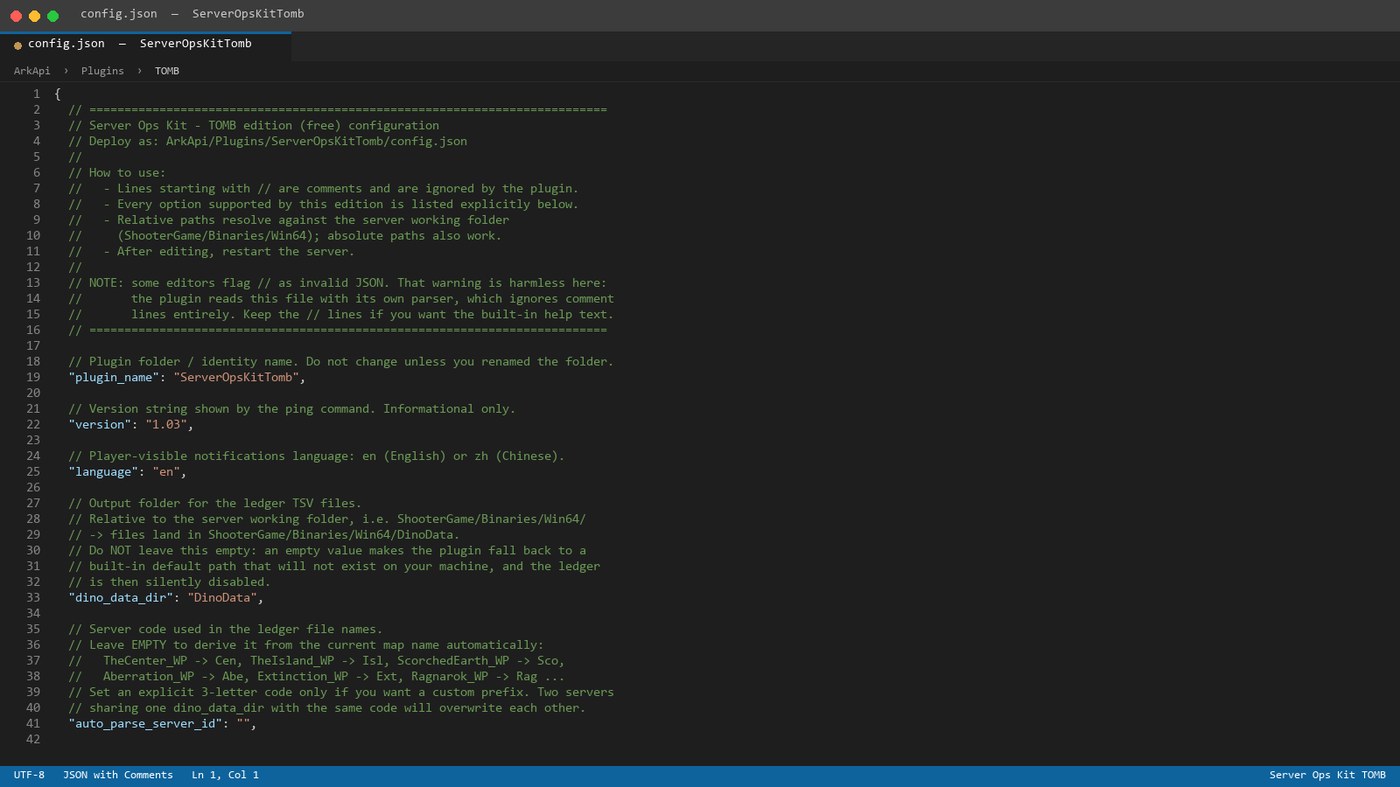
config.json(language, feature switches), restart.
docs/ folder.External connections and data
- No network connection of its own. The plugin opens no outbound connection, sends no telemetry and performs no update check.
- Files it reads: its own
config.jsonand the ASA API it is loaded into. - Files it writes: its plugin folder plus
dino_data_dir(<serverId>_tomb_history.tsv,<serverId>_wx_history.tsv). Nothing outside those paths. - No external process is started.
Limitations (please read)
- Windows dedicated servers only.
- Requires AsaApi 2.1 or newer.
- Automatic transfer needs a gravestone owned by the same tribe. Without one, death bags keep their normal lifetime and are not moved.
- Changing
languagerequires a server restart. - This plugin focuses on the tomb / death bag system. Cross-map identity chain, offline save parsing, world probes and the admin command set are provided by the paid edition of Server Ops Kit.
- This is an administration tool. Review the configuration before enabling it on a live cluster.
Support
Use the Discussion tab of this resource. Please include your AsaApi version, the plugin version (from theplugin loaded version= log line or the ping command) and the relevant [ServerOpsKitTomb] log lines.